
Checked before you see it
A headless Chromium on your Hermes host lints, compiles and renders three frames. The agent looks at its own contact sheet and fixes flat, black or still frames before it answers.
A shader lab where agents check their work.
Make GLSL shaders with your Hermes agent, see them render, tune them by hand, and take them into the tool you ship in.
hermes plugins install https:/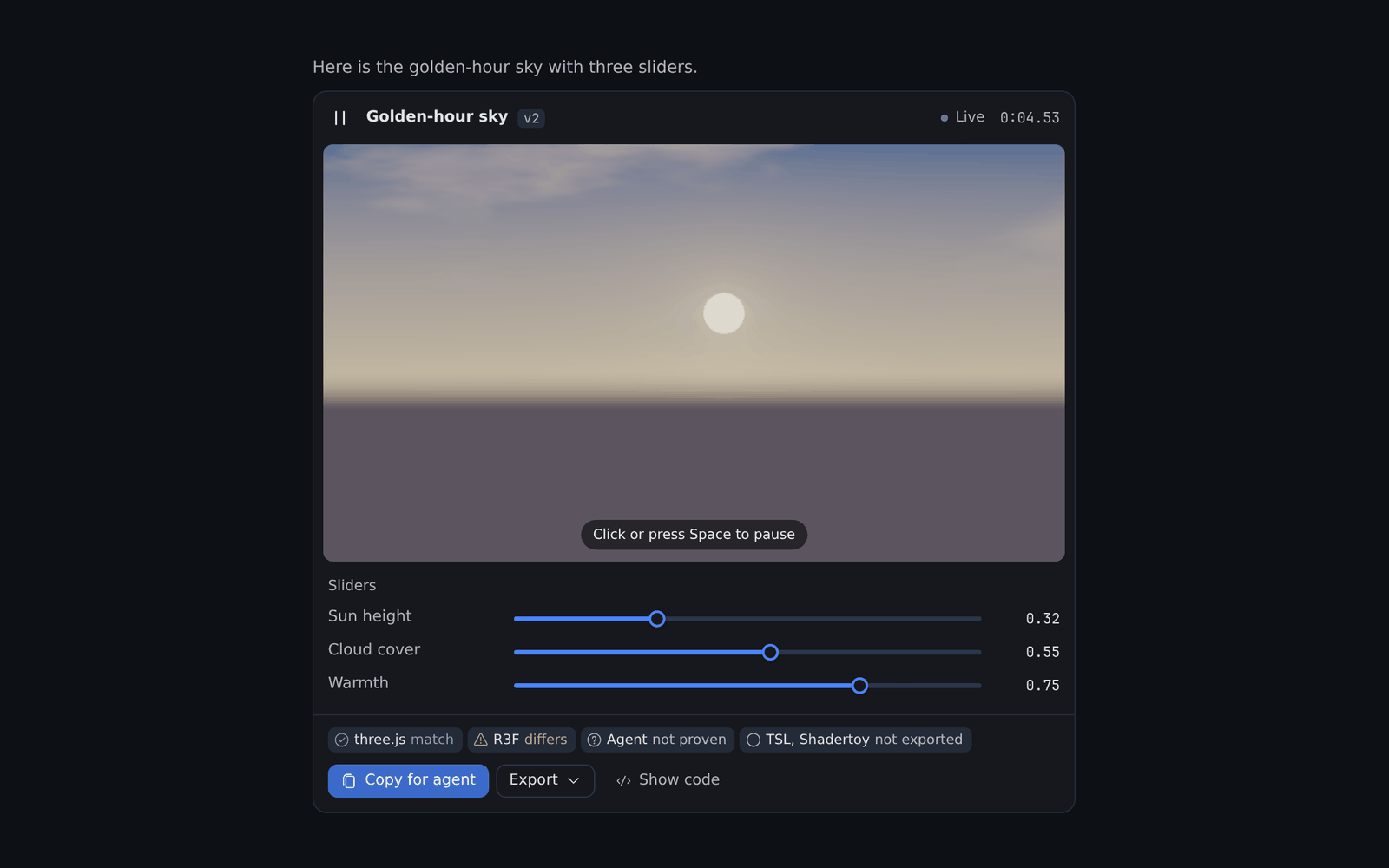
A headless Chromium on your Hermes host lints, compiles and renders three frames. The agent looks at its own contact sheet and fixes flat, black or still frames before it answers.
Hermes Desktop plays the shader in the chat. Each `@slider` line becomes a slider you move without another agent turn, and your values become the export defaults.
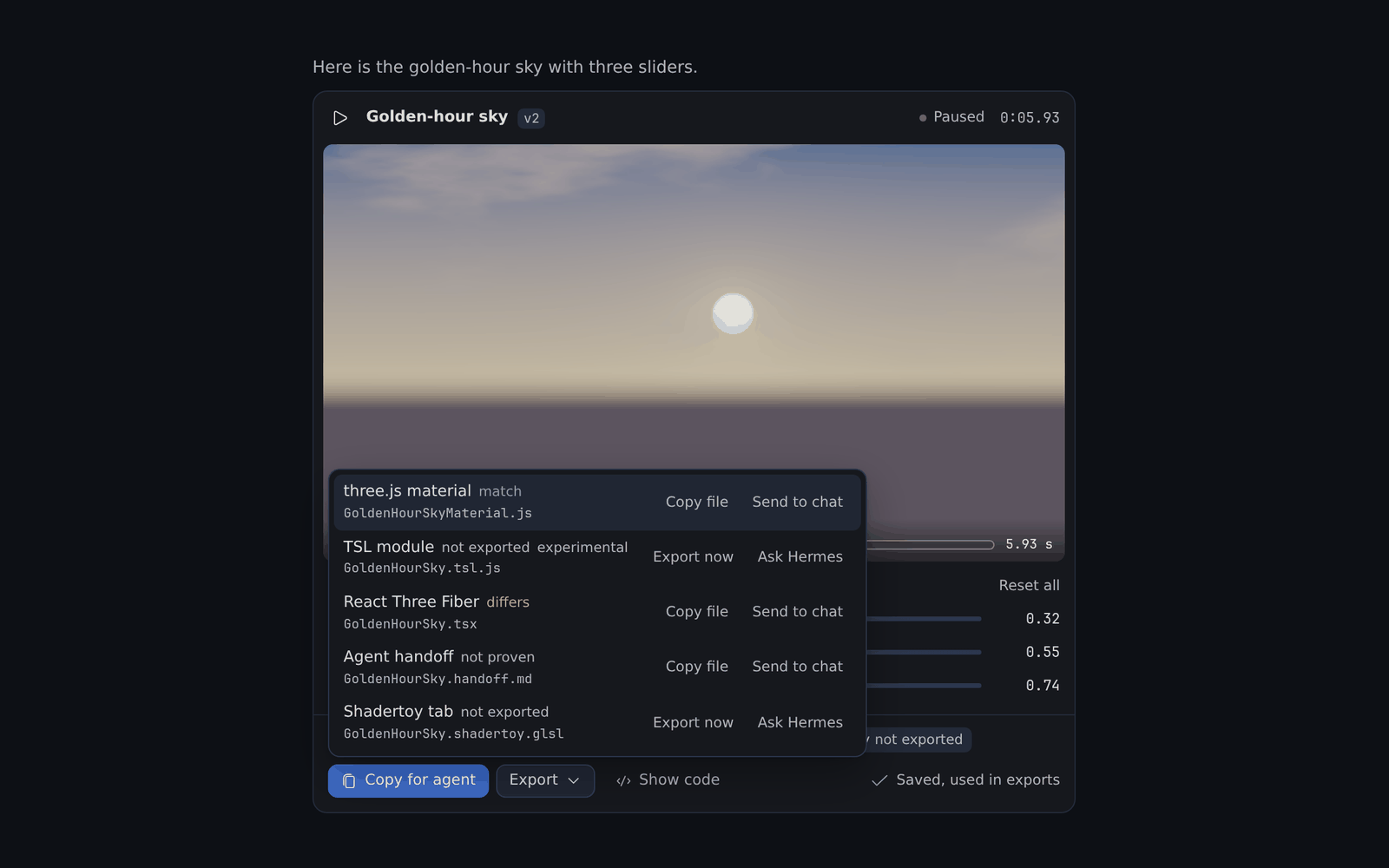
Seven targets: three.js, React Three Fiber, TSL, Shadertoy, an agent handoff, and experimental TouchDesigner and ISF. Each export is rendered next to the source and gets a verdict: match, differs or not proven.
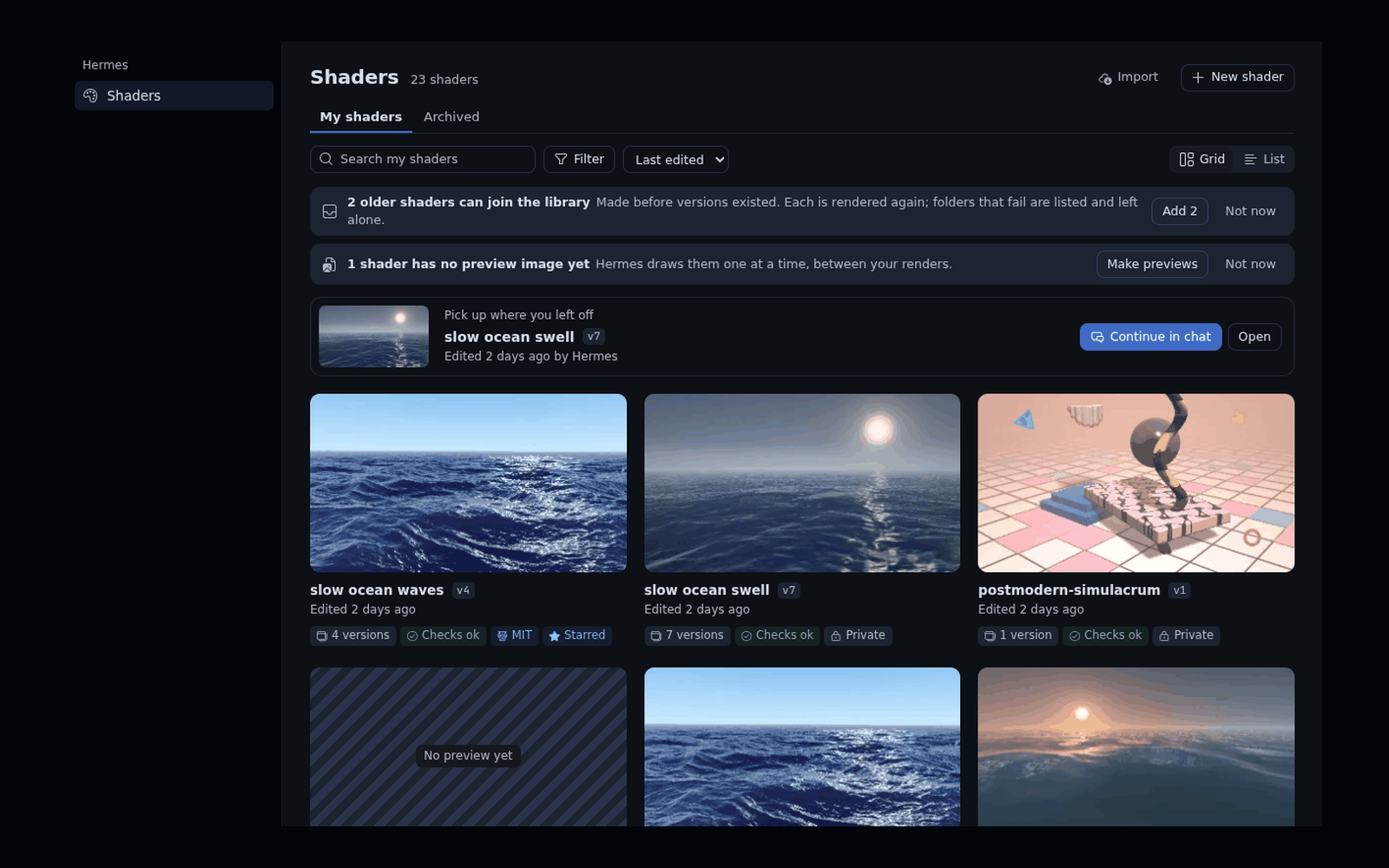
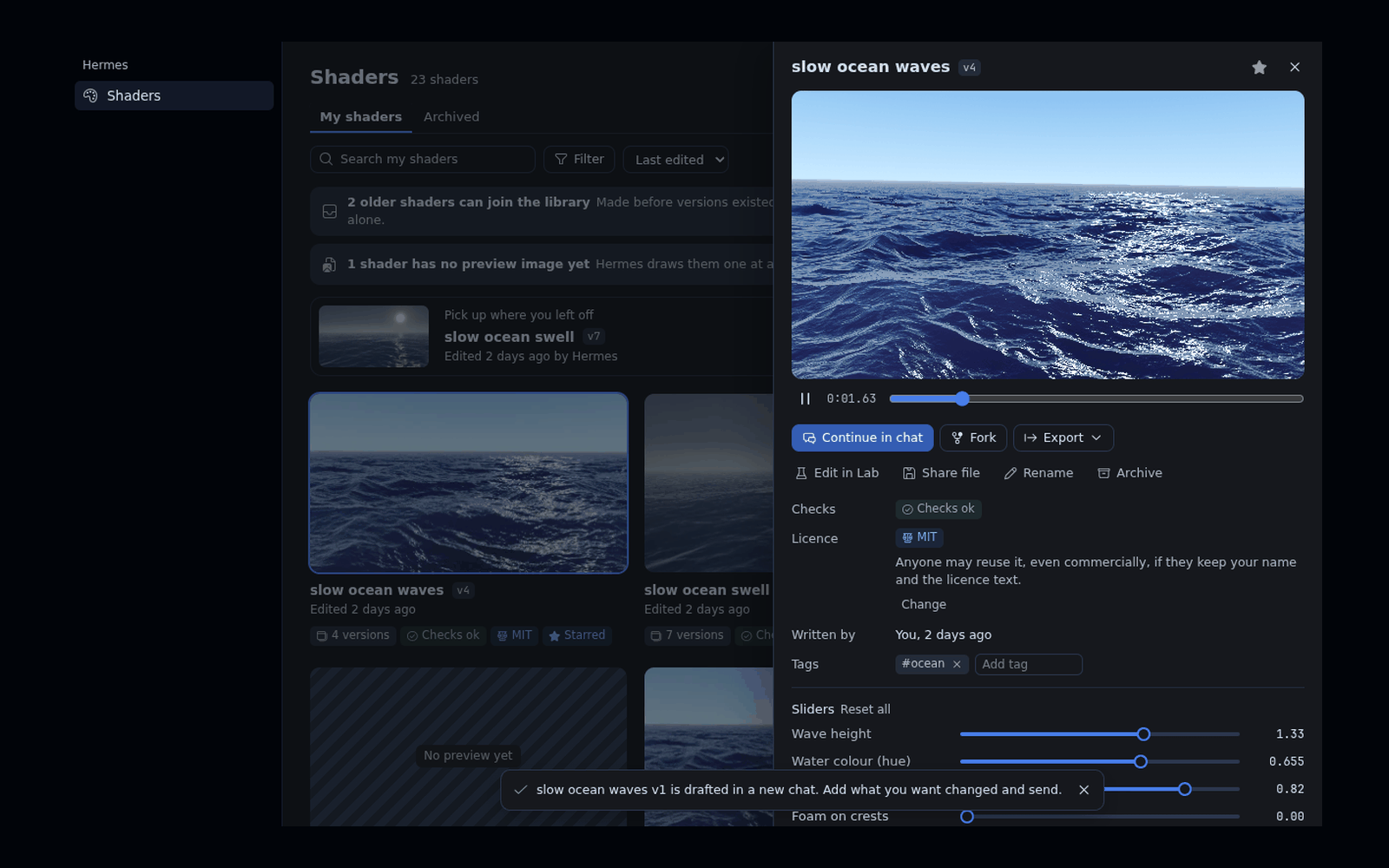
Every render is a version with its frames, forks and licence. Edit the code yourself in the Lab, import Shadertoy, glslCanvas and ISF shaders, and share a file anyone with Shaderbrücke can import.
Install it where Hermes runs.
hermes plugins install https:/Hermes on a server and Desktop on your laptop? Install it on the server as above, and on the Desktop computer with:
hermes plugins install https:/Start a new chat and ask for a look, for example "a golden-hour sky with a low sun and slow clouds".
Move the sliders under the card, then pick a target in the card's Export menu.
Hermes 0.22.7 or newer and a Chromium. The Hermes container image ships one and the plugin finds it. Elsewhere, put chromium on PATH or set SHADERBRUECKE_CHROMIUM. No GPU, no Python dependencies, no npm.
Yes. Rendering, the checks, the library and the exports run on the Hermes host and work from any chat. The live card, the sliders, the Shaders page and the Lab need Desktop.
Nothing. Renders run in a Chromium with the network blocked, and the plugin makes no network calls and sends no telemetry.
In both places, on the same version: on the server for the tools and the renderer, and on the Desktop computer for the card and the Shaders page. With Hermes and Desktop on one computer, one install covers both.
Run hermes plugins update shaderbruecke, then start a new chat. On a server, update there too, and switch Agent in <profile> off and on in Capabilities → Plugins.
Run hermes plugins remove shaderbruecke. On a server, run it with -p <profile> there and once on the Desktop computer.
The plugin is MIT. Your shaders are private by default. Pick MIT, CC0 or a Creative Commons licence per shader, and every export carries it.
Open an issue on GitHub. Include the render result, which names the failed check or the compile error.
Shaderbrücke is open source under MIT. Issues, ideas and pull requests are welcome on GitHub.